Lesson 2 of 9For Everyone
Capture & submit
Snap a receipt and let AI fill in the details.
app.reimba.com/app/submit
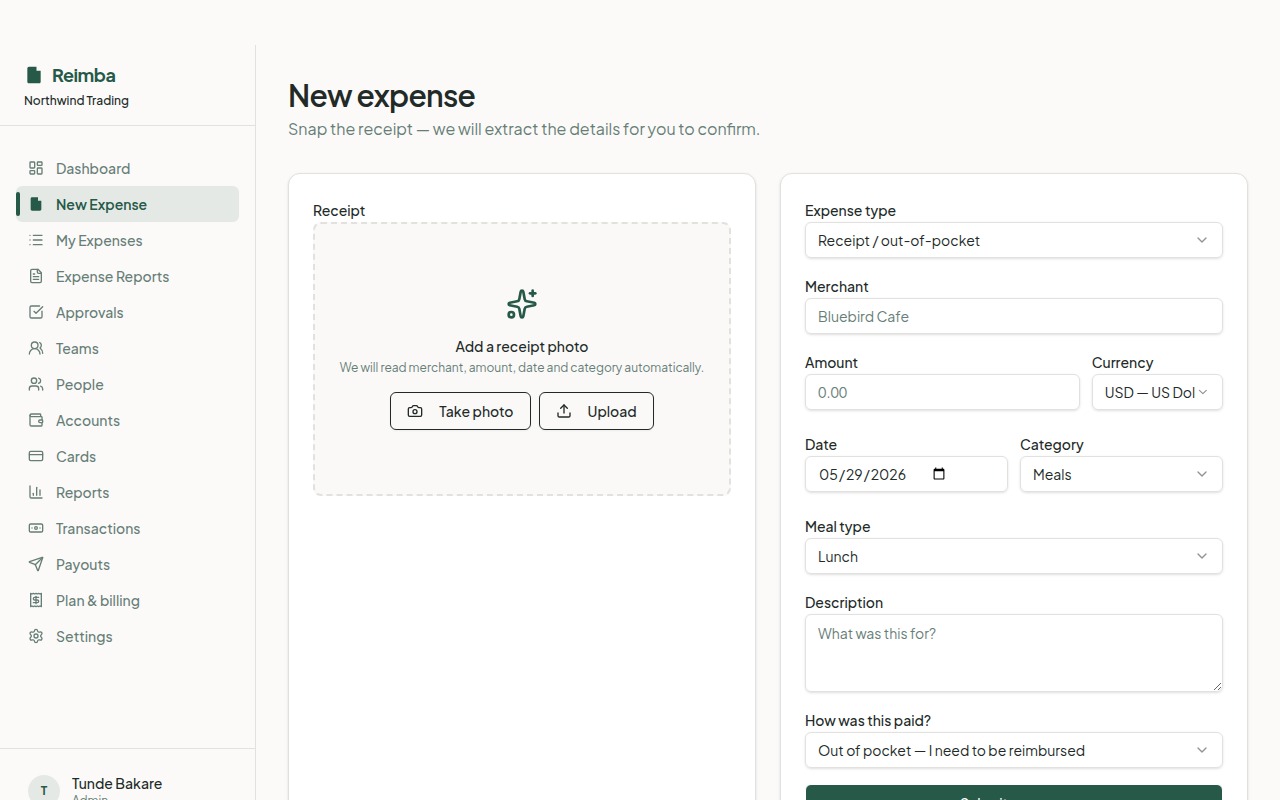
Submitting an expense should take seconds. Drop in a photo or PDF of the receipt and Reimba's AI reads the merchant, amount, date, and category for you — you just confirm. Receipts are stored securely so there's always an audit trail behind every claim.
How it works
- 1Open Submit expense and upload a receipt photo or PDF.
- 2AI extraction pre-fills merchant, amount, date, and a suggested category — review and tweak anything that's off.
- 3Pick the entity and category, add a note if needed, and submit. It immediately enters the approval flow.
Worth knowing
- AI receipt extraction — no manual typing
- Works on web and mobile
- Every receipt stored for audit